How to join
- Install the modpack. Install Tensura Neo Otherworld 1.1.2a from CurseForge. The version must be exactly 1.1.2a: if CurseForge updated your profile, switch it back in the profile's version settings. No extra mods are needed; everything custom runs on the server.
- Add the server. Multiplayer > Add Server > Server Address:
play.tensura-anarchy.com(tensura-anarchy.comworks too). Leave Server Resource Packs on Prompt or Enabled.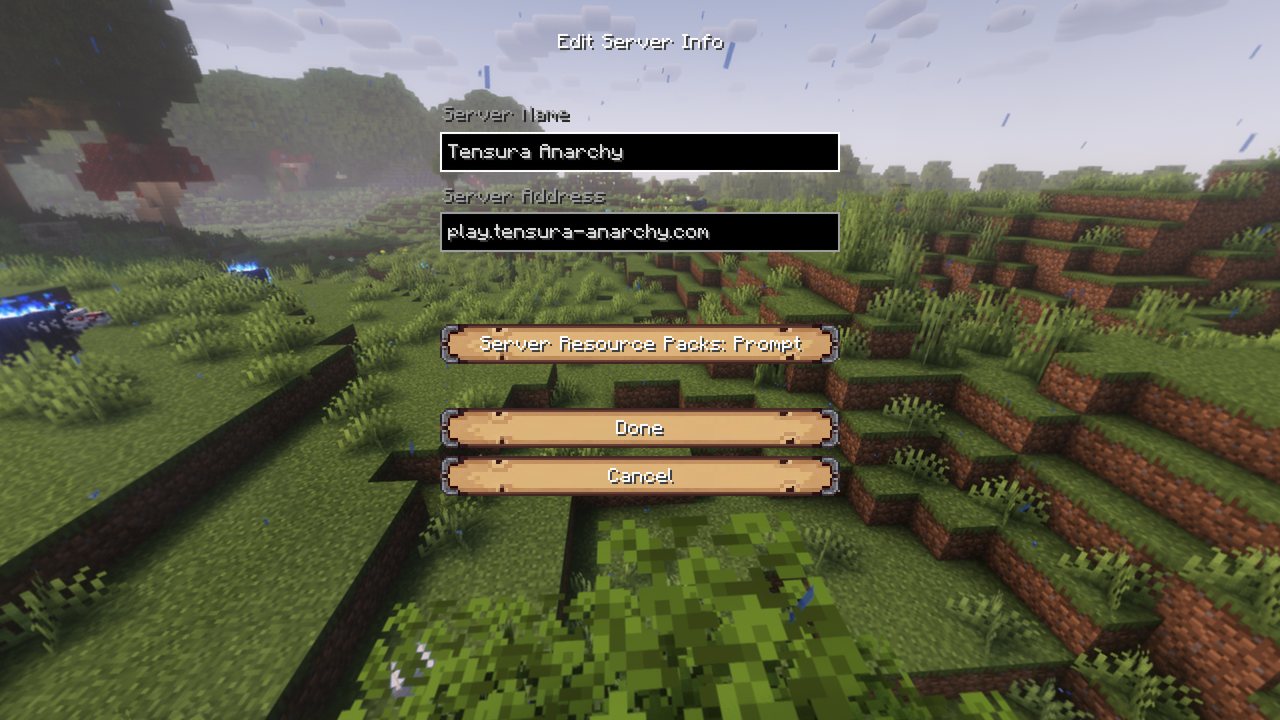
Disconnected right away with "The server send registries with unknown keys: ... manascore_skill:skills ..."? That is a random startup bug in the modpack, not the server: here is the fix.
- Accept the resource pack. On join the server sends a small required resource pack (the World Language: the market menus and dialogue). Click Yes. Your game then reloads its resources, which can take a minute or more with this pack: wait, don't close the game. The server waits up to 5 minutes for you.
- Choose your race. On your first join the reincarnation menu opens. Browse the races with the arrows, read their difficulty, EP ranges and intrinsic skills, then press Select Race. You also receive a random Unique skill and land at a random spot somewhere in the 20,000 x 20,000 world.
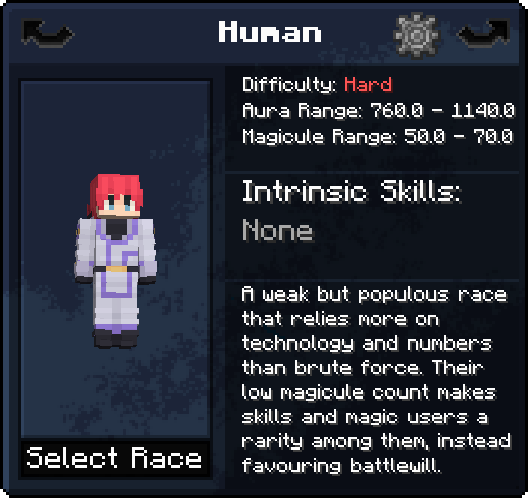
The reincarnation menu. Every race shows its difficulty, starting EP and intrinsic skills. - Link your Discord (optional). In game, type
/discordfor the invite and/discord linkfor a code, then/link CODEin #commands. Your rank and race family follow you there as roles. See the Discord page.
Death and reincarnation
- What happens when I die?
- Your character is reset, like a Character Reset Scroll: race, unlocked skills, EP, Reincarnation Essence and your Adventurer Guild progress (rank, reputation coins, titles) are gone, and you pick a new race and roll a new Unique.
- What survives?
- Locked skills, prestige, Soul Grade, your boss-kill progress toward the next prestige, and your bed or respawn anchor spawn.
- My items?
- They drop into a grave where you died. Anyone can loot it immediately. Graves never expire.
- How do I keep a skill?
- Lock it in the Skill Lock menu (Tensura menu B > the lock tab on the right): pick a skill, press Lock. You get one lock slot per 20 Soul Grade, and every prestige gives +20 Soul Grade. Unlocking costs 1% of your max EP permanently. A locked Unique stays and you still roll a new one on top. A lock guards against death and resets only: a skill you fuse or evolve into another, or lose to a thief, is gone, and its lock slot is free again. Some Ultimates exist only once in the world (Raphael, Beelzebuth, Veldora, Satanael, Shub-Niggurath, Fortuna, Mammon, Hell Sniper, Yog-Sothoth): stay away for more than 7 days and another player may obtain yours. If someone does, it leaves you when you return, locked or not; your crystals stay counted.
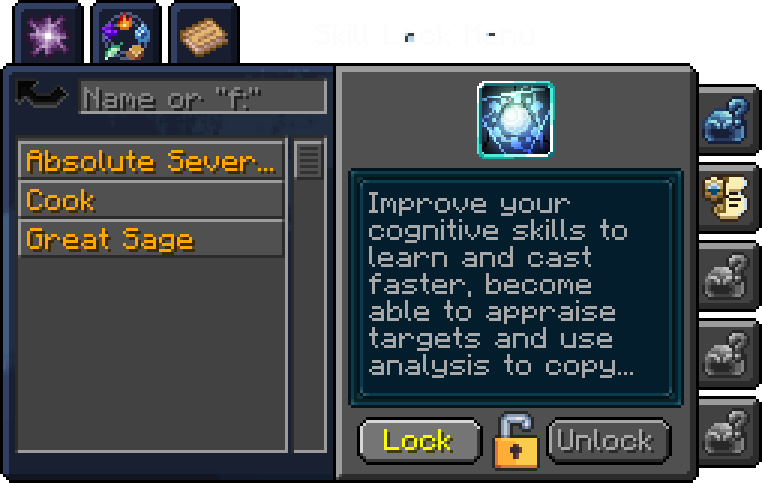
The Skill Lock menu. Locked skills survive death. - Titles?
- A Demon Lord Seed, True Demon Lord, Hero Egg or True Hero carries the rank as a title after their name. It is granted and selected automatically and lost with the rank, so a death takes it.
- Where do I respawn?
- At your bed or respawn anchor if you have one, otherwise at a random safe spot within 10,000 blocks of 0,0.
- Is the Unique roll fair?
- Death is easy here, so the strongest Uniques are rare. Every Unique has a power tier:
S tier: Fusionist, Engineer, Authority of Greed, Merciless, Great Sage, Scholar. Time Traveler is never rolled: it only works in singleplayer. Skills you already have are left out of the roll.Tier Skills Each Whole tier S 6 1 in 654 0.9% A 16 1 in 218 7.3% B 25 1 in 109 22.9% C, D, E 45 1 in 65 68.8%
The rules of this world
There are no rules within the World. Anything the game allows is allowed: PvP, griefing, raiding, theft, lies, alliances and betrayal. Hacked clients, duplication and lag machines are part of the World.
<<Notice: Three things lie outside the World. Each ends your access to it.>>
- Attacks on the server itself or its host (DDoS, attacks on the machine).
- Attacks on real people (doxxing, threats, harassment outside the game).
- Breaking Discord's Terms of Service or Minecraft's EULA.
- Claims?
- No. Chunk claiming and force-loading are off. Spawn has no protection either.
- /home, /spawn, /warp, /tpa, /back, /enderchest?
- Don't exist. Use beds, waystones and your skills (Warp, Traveler, Dimension Hopper ...). Waystones can't be destroyed by anyone.
- Coordinates and maps?
- Off for everyone: F3 shows reduced info, the minimap and the world map are disabled. Find your way by landmarks, signs and memory.
- Difficulty?
- Hard.
- Dropped items?
- Cleared every 15 minutes, with warnings 10 minutes, 1 minute and 5 seconds before. The dragon egg and everlasting backpacks are kept. Graves are not affected.
- World resets?
- The world is meant to be reset about once a month. Your character (race, skills, EP, prestige) carries over; items, builds and the market do not. Resets are announced in advance.
The Underground Market
- Where?
- Every Dwarven Village has a Dwarven Merchant. Rarely one also appears at an open cave entrance near a player and moves on after a while. Right-click the merchant; the first meeting has a short introduction.
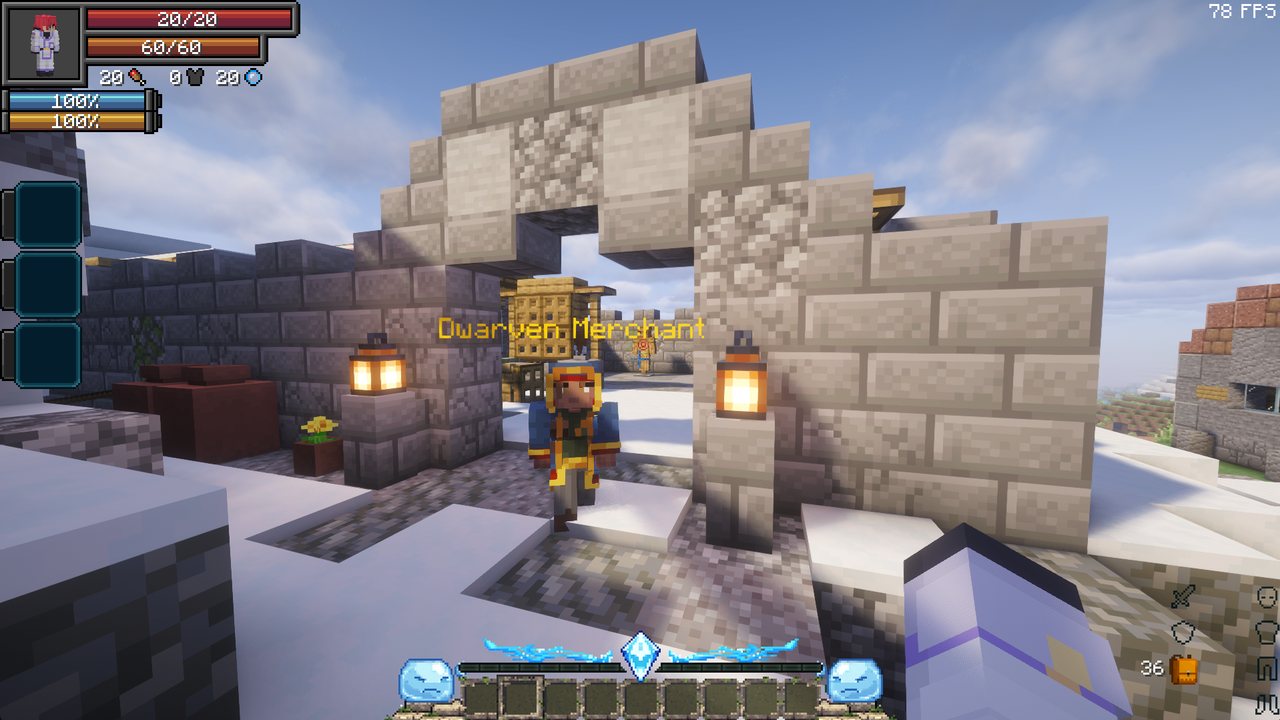
A Dwarven Merchant waiting in a Dwarven Village. - What?
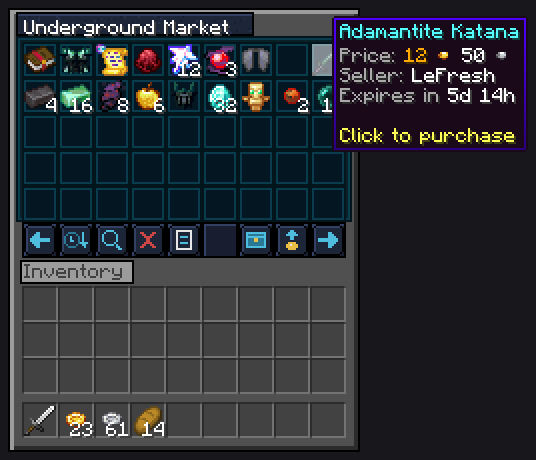
- A market between players, paid in Tensura coins: bronze, silver, gold and stellar gold, 100 of one = 1 of the next.
- Buying
- Browse, sort by newest or oldest, search by name. Click an offer twice to buy. Pay with any coins; change is given back.
- Selling
- Up to 10 offers at once. An offer runs for 7 days and can't be cancelled or taken back early. When it sells, 5% of the price (at least 1 bronze coin) is kept as a fee. Unsold items return after 7 days.
- Collection box
- Your earnings, unsold items and anything that didn't fit in your inventory wait here, even if you were offline.
- Merchants
- Are mortal. Kill one and its village gets a new merchant later. The market belongs to the world: a world reset wipes it.
Naming
Look at a creature or player and press N. Type a name of at most 16 letters, digits and spaces (the die suggests one), choose how much of your power to give, then press Name. The target must be below 25% health (or afraid of you) and have less EP than you. Hover the buttons to see what each does:
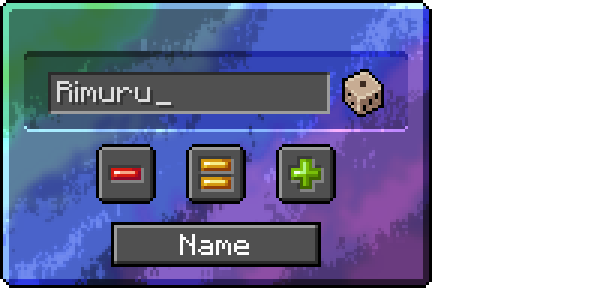
You pay as much magicule as the named one gains. Sometimes the cost also comes off your max magicule, for good:
| Choice | The named gains | Your max magicule |
|---|---|---|
| Subdue (red) | half its EP | never lowered |
| Evolve (orange) | 1.5 times its EP | 20% chance to lose the cost |
| Endow (green) | 9 times its EP (at most 1,000,000) | 50% chance to lose the cost |
Naming players
Players can be named only if they allow it: Shift+N toggles whether you can be named, and it is off by default.
- You can never hurt your namer again, not with skills, projectiles or summons, even while they are offline.
- Your namer can still hurt you. The protection only goes one way.
- You become allied with your namer and their other subordinates: mobs won't target each other, ally-safe skills skip you.
- You can't be named a second time while the bond lasts.
- Chat and the tab list show you under your new name (the name above your head stays your account name).
- How it ends: any death frees you (the reset clears the name and turns Shift+N off again). It also ends if your namer kills you.
Only allow naming if you trust that player.
Known problems
- Disconnected with "The server send registries with unknown keys: ... manascore_skill:skills ..."?
- A random startup bug in the modpack, not the server: your game sometimes fails to register some skills when it starts. Fix: close Minecraft completely, start it again, rejoin. Permanent fix (optional): open your profile folder (CurseForge: right-click the profile > Open Folder), open
config/fml.tomland changemaxThreads = -1tomaxThreads = 1. The game starts a little slower, but the error can't happen any more. - Kicked with "The World Language was refused"?
- You declined the resource pack, and Minecraft remembers that. Multiplayer > select the server > Edit > Server Resource Packs: Prompt (or Enabled), then join again (see How to join). "Could not be received" means the download failed: join again.
- Joining and leaving take long.
- Minecraft reloads all resources when it applies the server pack and again when you leave. That is how the game works; the download itself happens only once.
- The game crashes on world map > "Share Location In Chat".
- A Xaero's map bug while the map is locked (it is, on this server). Don't use that option. Only your game crashes; the server is fine.